
From Ctrl To Command: My Honest Experience Switching From Windows To Mac
 Gracie Stewart
Singapore and Bali Editor | Urban List

Switching from Windows to Mac wasn’t a dramatic decision, it was something I’d been considering for a while, then eventually just did.
I’d been using Windows for years. Work documents, browsing, general day-to-day use, it was what I knew. So the switch wasn’t just about learning a new device, it was about breaking habits that had become automatic.
The setup process itself was straightforward. I used Apple’s migration tool, connected my old laptop, and within about an hour most of my files were transferred across—documents, photos, folders, all sitting where I expected them to be. That part felt easy, which helped.
What wasn’t instant was the adjustment. For the first few days, even simple things felt slower, not because the Mac was slow, but because I was.
Why I Decided To Leave Windows
There wasn’t one big issue that pushed me away from Windows. It was more a collection of smaller things that added up over time.
Performance was one of them. My laptop wasn’t unusable, but it wasn’t consistent either. Some days it ran smoothly, other days it lagged for no clear reason. Opening multiple tabs, running a few apps, it didn’t always handle it well.
Then there were the interruptions. Updates appearing when I was in the middle of something, background processes slowing things down, occasional restarts that I didn’t plan for. I also realised I was spending time managing the laptop—closing apps, checking what was running, restarting to fix small issues. None of it was major, but it was constant. Battery life was another factor. I was always aware of it, checking percentages, bringing a charger, adjusting how I used it depending on how much battery I had left.
I wanted something more predictable. Something that would just work the same way every time I opened it. That’s what pushed me to try Mac.
First Impressions Of macOS
The first few days were a mix of “this is nice” and “why is this so different?”
The basics are where you notice it most. Window controls on the left instead of the right. Closing an app doesn’t actually quit it. The Dock behaves differently from the Windows taskbar. None of these are difficult to understand, but they slow you down at first.
Keyboard shortcuts were probably the most noticeable change. I kept instinctively using Ctrl for everything, and it took a few days before Command started to feel natural. Copying, pasting, switching apps, it all required a bit of relearning.
Finder also took some getting used to. It’s cleaner than File Explorer, but less obvious in how things are structured. Downloads, documents, desktop files, it’s all there, just organised differently enough to feel unfamiliar.
One thing I noticed straight away though was how responsive everything felt. Opening the laptop, launching apps, switching between tasks, it was all immediate. Even while I was still figuring things out, the system itself felt fast and stable. That helped balance out the learning curve.
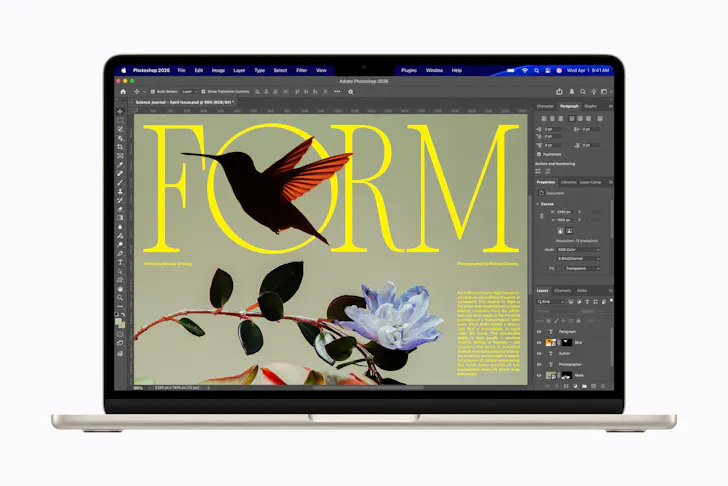
Image credit: Apple | Supplied
What I Loved About Switching To Mac
Once I got past the first week, the experience became noticeably better.
The biggest improvement for me was consistency. The Mac works the same way every day. I open it, it wakes instantly, apps run smoothly, and I don’t have to think about what’s happening in the background.
Battery life made a real difference too. I can use it throughout the day (writing, browsing, streaming, working) without needing to charge. I’ve stopped carrying a charger everywhere, which is something I didn’t expect to matter as much as it does.
The trackpad is another standout. It’s not just better, it actually changes how you use the laptop. Swiping between apps, moving between desktops, previewing files quickly, it all feels faster than using a mouse or clicking around.
Spotlight search has become part of my routine as well. Instead of opening folders and navigating manually, I just search for what I need. For example, if I need a document I worked on last week, I type a few letters and it’s there instantly. It removes a lot of unnecessary steps.
There are also smaller things that add up, like how quickly the laptop wakes from sleep, how rarely apps freeze, and how quiet it stays even when I’ve got multiple things open. No sudden fan noise when I open a few tabs or run basic apps. It just runs in the background without drawing attention to itself.
None of these are major features on their own. But together, they make the experience feel smoother and more reliable.
The Downsides I Didn’t Expect
That said, there are still some downsides.
The biggest one is software compatibility. Some programs I used on Windows either don’t exist on macOS or don’t work in quite the same way. In a few cases, I had to find alternatives, which takes time and adjustment. For example, I rely quite a bit on Chrome extensions for affiliate links and tracking. While Google Chrome works perfectly fine on Mac, not every extension behaves in exactly the same way. Tools like Trackonomics and similar plugins still work, but I found they weren’t always as seamless. Mostly small things like UI differences and permissions.
File management is another area where Windows still feels stronger. On Windows, you can dig deep into the system and organise things exactly how you want. macOS feels more simplified, which is good for ease of use, but can feel limiting if you’re used to more control.
There’s also less flexibility with hardware. With Windows laptops, I was used to upgrading or customising over time. With Mac, what you buy is what you keep.
And then there’s the cost. It’s more expensive upfront, and that’s something you definitely have to factor in.
None of these were dealbreakers for me, but they’re worth knowing before switching.
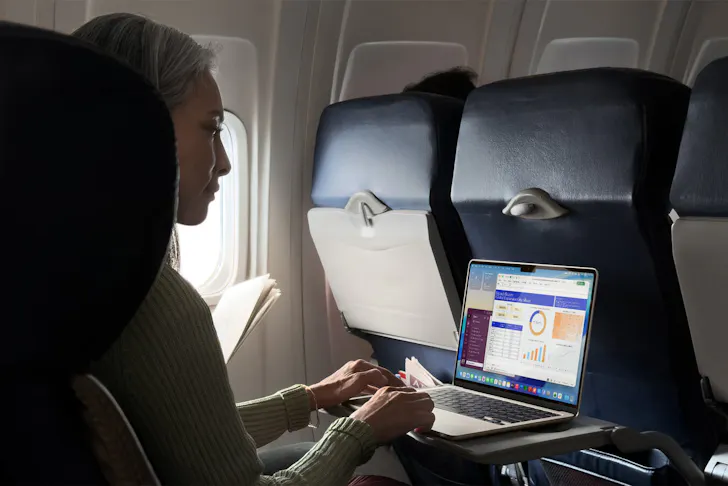
Image credit: Apple | Supplied
macOS vs Windows: Key Differences
After using both, the main differences come down to how they feel to use daily.
- Windows gives you more control, more flexibility, and more options but requires more input from you
- macOS is more streamlined and consistent but expects you to adapt to its way of doing things
Windows feels more open. Mac feels more refined.
For me, the consistency and reliability of macOS ended up being more valuable than the flexibility I had on Windows.
Microsoft Word vs Pages: A Bigger Shift Than Expected
This ended up being a bigger change than I expected because it directly affects how I work. I’ve used Microsoft Word for years, so everything about it feels familiar—toolbars, formatting, layout controls. Even if it’s slightly cluttered, I know exactly where things are.
Pages felt very different at first. The interface is cleaner and less crowded, which initially made it harder to find certain features. Basic tasks like adjusting formatting or layouts took longer simply because I wasn’t used to it.
But after spending more time with it, I started to appreciate the simplicity. For everyday writing (notes, drafts, simple documents) it feels faster and less distracting. I’m not constantly adjusting formatting or dealing with layout issues.
A big advantage is that you don’t have to fully switch. Pages opens Word documents without any problems, and exporting back to Word format is easy. I’ve shared documents with people using Word and haven’t run into any issues. That compatibility makes a big difference. It means you can use Pages for your own workflow, but still work within a Word-based environment when needed.
For more complex documents or collaborative work, I still use Word. But for most day-to-day writing, I’ve naturally shifted to Pages.
Is Switching To Mac Worth It?
For me, yes, but not for dramatic reasons.
It’s simply more reliable. I don’t have to think about performance, battery, or background processes as much as I used to. The overall experience is smoother. I spend less time fixing small issues and more time actually getting things done.
It hasn’t changed what I do, but it has made doing it feel easier. And that’s really what I wanted from the switch. Looking back, I’m genuinely glad I made the move.
Tips For Windows Users Moving To Mac
If you’re considering switching, here are a few practical things that helped me:
- Give yourself at least a week to adjust
- Learn the main keyboard shortcuts early (Command replaces Ctrl)
- Use Spotlight search instead of manually navigating folders
- Don’t try to make macOS behave like Windows
- Keep familiar apps like Word while you’re transitioning
- Expect small frustrations at the start, but they will go away
It took me about a week to feel comfortable, and a couple more to feel fully settled. Now, I don’t really think about the differences anymore. The Mac just fits into how I work without getting in the way. And ultimately, that’s what I was looking for: something reliable, consistent, and easy to use every day.
Looking for more? Check out:
- Australia’s Cult Bathhouse Capybara Bathing Has Landed In Singapore
- I Stayed At Raffles Sentosa Singapore And It’s A Stay Everyone Should Have On Their Bucket List
- Sentosa Beach Fest Is Turning Siloso Beach Into A 9-Day Beach Fitness Playground
Main image credit: Apple | Supplied